Extend your subscription period
Each 3D Archi Designer license includes a free 30-day trial of the data download service.
To access the service for more than 30 days, simply use a subscription code to extend your membership.
1. Before you begin
Before using a subscription code, a service membership is required.
If you don't have a membership yet, please follow the steps below to register.
> How to sign up for membership
2. Prepare a subscription code to extend your membership period
- Subscription Code 90-day $49
- Subscription Code 365-day $196
Please purchase one of these subscription codes using the link below.
3. Redeem Subscription Code
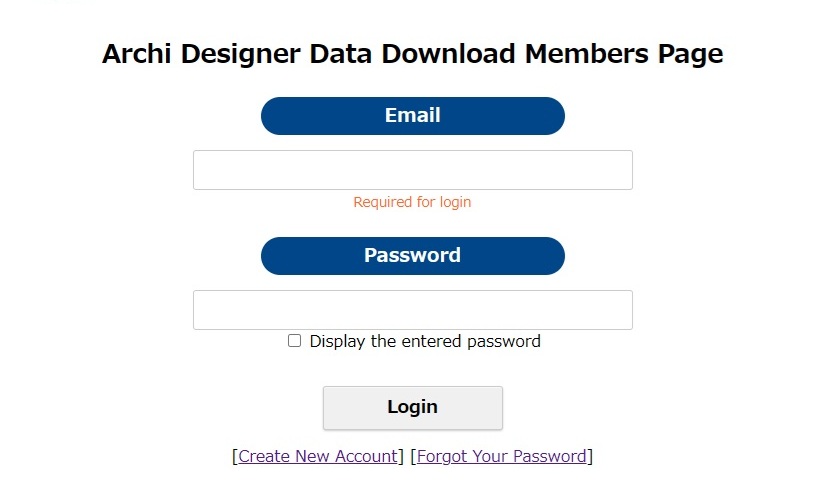
1. Click the link below to log in to your membership account.

2. Enter your email address and password, then click "Login".
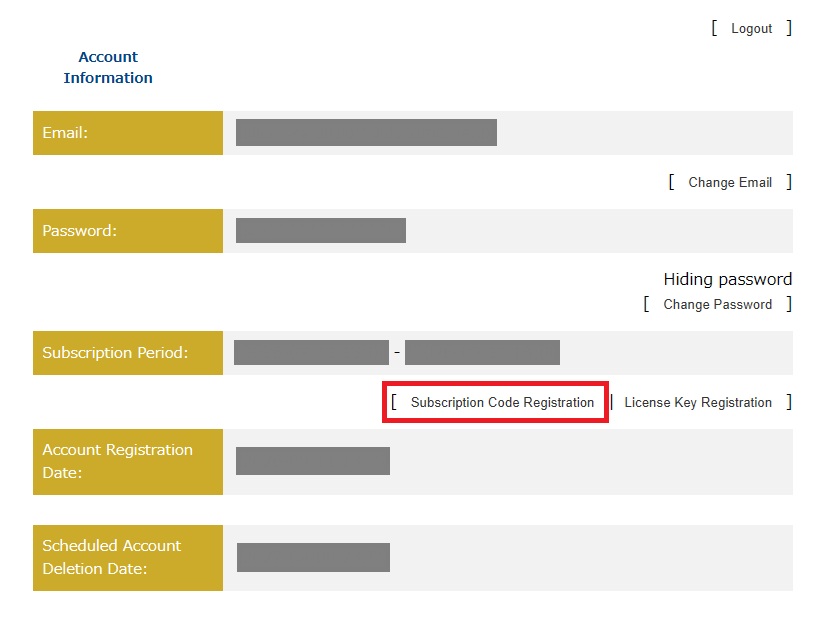
3. Your account information for the data download service will be displayed.
Click "Subscription Code Registration" in the red box.
4. Enter an unused Subscription Code and click the "Register" button.
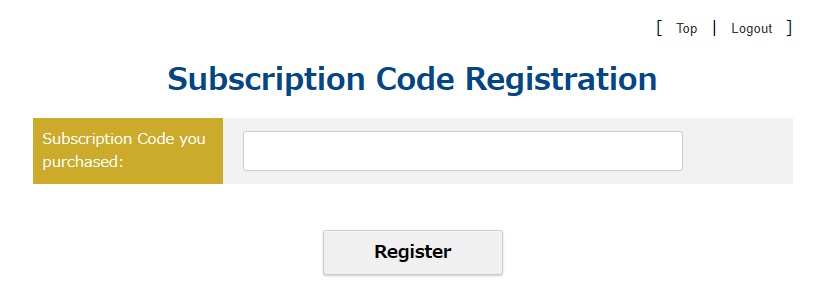
5. The code will be activated, and your subscription period will be extended.
To confirm if your subscription period has been successfully extended, click “Top” in the upper right corner or log in using the link below to view your account details.
Archi Designer Data Download Members Page